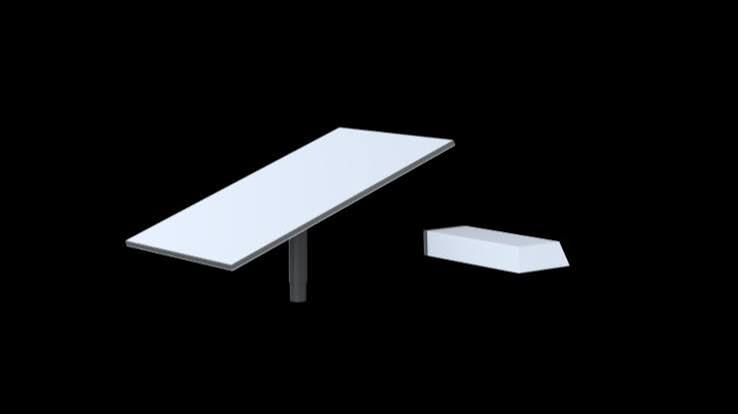
Starlink Enterprise Kit
Shop Starlink Enterprise Kit in Uganda for reliable business internet, 50m cabling and flexible networking. Get professional installation and order today.
Contact us for current pricing in Uganda
Contact us for current pricing in Uganda
Product Details
Starlink Enterprise Kit: 7 Powerful Business Internet Benefits
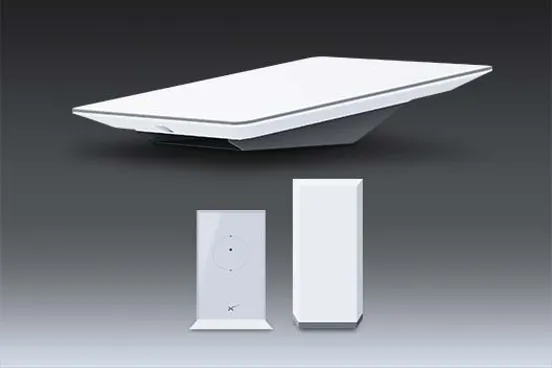
Starlink Enterprise Kit in Uganda
The Starlink Enterprise Kit is built around a simple concept: provide businesses with Starlink satellite connectivity while giving network administrators greater flexibility over how the connection is installed and distributed.
Instead of designing the kit primarily around a supplied Starlink WiFi router, the Enterprise Kit is intended to integrate directly with professional networking infrastructure.
Starlink specifically describes the Enterprise Kit as best suited to power users and fixed-site business applications. It highlights the longer cable, mounting flexibility and ability to connect directly to third-party routers and custom network configurations.
This makes the kit particularly relevant for offices, schools, lodges, farms, construction sites, remote branches, commercial facilities and organisations that already operate their own network infrastructure.
What Comes with the Starlink Enterprise Kit?
The Enterprise Kit differs considerably from a normal Standard Starlink package.
Starlink currently lists the following equipment in the kit.
Table 1: Starlink Enterprise Kit Contents
| Component | Purpose |
|---|---|
| Starlink Standard Terminal | Connects to the Starlink satellite network |
| Power Supply | Powers the Starlink terminal |
| Power Supply Mount | Secures the power supply |
| Enterprise Mount | Choice of compatible permanent mounting option |
| Enterprise Cable | 50 m connection between terminal and power supply |
| AC Power Cable | 1.8 m power connection |
| Ethernet Cable | 5 m connection to router/network |
| Screws | Power-supply mounting hardware |
| Wall Anchors | Supports secure mounting |
The 50 m Enterprise Cable is one of the most important differences because it provides considerably greater installation flexibility than the shorter cable included with typical Standard kits.
Starlink Enterprise Does Not Include a WiFi Router
One important point customers should understand before buying the Starlink Enterprise Kit is that a Starlink WiFi router is not included as standard.
Starlink specifically states that Enterprise, Mini and Performance kits do not include a WiFi router. A compatible Starlink router can be purchased separately if required.
For many business installations, this is actually an advantage.
An organisation may already have:
- A business router
- Firewall
- Managed switches
- WiFi access points
- Network controller
- CCTV network
- Structured Ethernet cabling
The Enterprise Kit can therefore provide the internet connection while the existing professional network continues distributing connectivity throughout the premises.
Starlink Enterprise Specifications
The Enterprise terminal is based on Starlink's Standard-style electronic phased-array architecture but packaged specifically for business installation requirements.
Table 2: Starlink Enterprise Kit Specifications
| Specification | Enterprise Kit |
|---|---|
| Antenna | Electronic phased array |
| Field of View | 110° |
| Orientation | Software-assisted manual |
| Environmental Rating | IP67 Type 4 |
| Operating Temperature | -30°C to 50°C |
| Operational Wind Rating | 96 kph+ |
| Snow Melt Capability | Up to 40 mm/hour |
| Average Power Consumption | 75–100W |
| Idle Power | Approx. 20W |
| Enterprise Cable | 50 m |
| Ethernet Cable | 5 m |
| Package Weight | Approx. 12.2 kg |
These specifications are based on Starlink's current Enterprise hardware documentation.
Actual power consumption can vary depending on environmental conditions, location and network utilisation.
50 Metre Enterprise Cable
The 50 m Enterprise Cable is one of the strongest reasons to consider the Enterprise Kit for commercial installations.
Starlink supplies a 50 m or 164 ft cable between the Enterprise terminal and its power equipment.
This provides considerably more freedom when selecting the terminal location.
For example, a business may need to install Starlink on:
- A high roof
- Separate building
- Pole
- Communications tower structure
- Remote section of a compound
- Location away from the network room
The power supply and networking equipment can remain in a more convenient or protected location while the terminal is positioned where sky visibility is better.
Cable length should therefore be considered during the initial site survey rather than after mounting the terminal.
Direct Connection to Third-Party Routers
Another major benefit of the Starlink Enterprise Kit is direct third-party router connectivity.
Starlink specifically designed Enterprise for custom network configurations and direct connection to third-party routers.
The Enterprise setup guide instructs installers to connect the Enterprise Cable to the power supply and then connect the supplied Ethernet cable from the power supply to a router.
This creates a straightforward architecture:
Starlink Enterprise → Power Supply → Ethernet → Business Router → Network
From the router, the organisation can distribute connectivity through the rest of its network.
Enterprise Kit for Professional Networks
The Enterprise Kit becomes especially useful when combined with proper network infrastructure.
A larger organisation might deploy:
Starlink → Firewall/Router → Managed Switch → Access Points → Users
The managed switch can then distribute connectivity to multiple parts of the building.
Access points can provide WiFi in offices, meeting rooms, reception areas and other spaces.
Separate networks can also be created for different functions where the networking equipment supports them.
For example, an organisation may separate:
- Staff network
- Guest WiFi
- CCTV network
- Management systems
- VoIP devices
- Servers
- IoT equipment
The Starlink Enterprise Kit provides the internet connection while the organisation's network determines how that connection is distributed.
Table 3: Enterprise Networking Options
| Network Equipment | Purpose |
|---|---|
| Third-Party Router | Manages internet connection |
| Firewall | Provides network security controls |
| Managed Switch | Connects multiple Ethernet devices |
| WiFi Access Points | Expands wireless coverage |
| Network Controller | Centralised network management |
| CCTV Switch | Supports surveillance network |
| Point-to-Point Radio | Extends network between buildings |
| UPS | Keeps networking online during outages |
This makes Enterprise suitable for much more sophisticated installations than a single-router residential setup.
Starlink Enterprise for Offices
An office can use the Enterprise Kit as its main internet connection or as part of a multi-connection network.
The 50 m cable allows the Starlink terminal to be installed where it has suitable sky visibility while the network equipment remains inside a secure communications or server room.
A business router can then distribute connectivity throughout the office.
For larger offices, wired access points can provide WiFi across multiple floors or departments.
This is often more effective than relying on one centrally located wireless router.
Starlink Enterprise for Remote Branches
Businesses operating branches outside major urban centres can face significant connectivity challenges.
Installing fibre may be expensive or unavailable.
The Enterprise Kit can provide a satellite-based connection without requiring the local terrestrial broadband network to reach the property.
This can be useful for:
- Branch offices
- Warehouses
- Agricultural facilities
- Remote project offices
- Tourism facilities
- Research stations
- Construction sites
The site still requires suitable power and an appropriate view of the sky.
Starlink Enterprise for Schools
Schools increasingly depend on internet connectivity for administration, learning platforms, research and communication.
A Starlink Enterprise installation can provide the upstream internet connection while the school's network distributes connectivity to classrooms, offices and laboratories.
For example:
Starlink Enterprise → Router → Managed Switch → Classroom Access Points
Network administrators can then determine which areas receive WiFi and how bandwidth is managed.
The 50 m Enterprise Cable is also useful on school compounds where the best terminal position may be far from the main network room.
Starlink Enterprise for Hotels and Lodges
Hotels and lodges often require much wider WiFi coverage than a conventional home.
One router is rarely sufficient for guest rooms, restaurants, conference areas, offices and outdoor spaces.
The Enterprise Kit can instead provide the internet connection to a professionally designed hospitality network.
A suitable deployment may include:
Starlink → Firewall → Managed Switch → Multiple Access Points
Guest and administrative networks can then be separated where appropriate equipment is installed.
Remote lodges can also combine Starlink with solar, batteries or generator backup where grid electricity is limited.
Starlink Enterprise for Farms
A farm can use the Enterprise Kit to provide connectivity to the main office or operations centre.
The connection can then be extended to other buildings using Ethernet, fibre or point-to-point wireless networking depending on distance.
Potential uses include:
- Office connectivity
- CCTV monitoring
- Cloud applications
- Farm management systems
- Communication
- Remote equipment monitoring
- Staff internet
The Starlink terminal itself should not be expected to provide WiFi across an entire farm.
Starlink provides the upstream connection; the local network distributes it across the property.
Starlink Enterprise for Construction Sites

Construction sites frequently need connectivity before permanent telecommunications infrastructure becomes available.
The Enterprise Kit can support temporary or long-term project connectivity.
Applications may include:
- Cloud document access
- Engineering drawings
- Project-management systems
- Video meetings
- CCTV
- Procurement platforms
- Remote reporting
Because construction environments can expose equipment to physical damage, cable routes and network equipment should be properly protected.
Enterprise Kit Power Consumption
Starlink currently lists Enterprise together with Standard 4 and Standard 4 X at an average power consumption of approximately 75–100W, with around 20W while idle.
Actual consumption varies according to temperature, location and usage.
This matters when planning backup power.
A business should not calculate battery capacity using Starlink alone if routers, switches, firewalls and access points also need to remain operational.
Table 4: Example Enterprise Backup Loads
| Equipment | Include in Backup Planning? | Reason |
|---|---|---|
| Starlink Enterprise | Yes | Provides internet connection |
| Power Supply | Yes | Required for Starlink |
| Business Router | Yes | Routes network traffic |
| Firewall | If installed | Network may depend on it |
| Managed Switch | If installed | Connects network equipment |
| WiFi Access Points | If installed | Provides wireless access |
| CCTV Equipment | If required | Maintains surveillance connectivity |
| Computers | Optional | Depends on business needs |
A complete backup system should be sized according to measured or documented loads and required runtime.
Starlink Enterprise Power Supply
The Enterprise Kit uses a dedicated external power supply.
Starlink lists the power supply with an IP66 environmental rating, operating temperature from approximately -30°C to 50°C, weight of approximately 1.5 kg, and a dedicated earth terminal.
Its input specification is listed as 100–240V, 6.3A, 50–60Hz.
A wall mount is included for securing the power supply.
The power supply should therefore be properly mounted rather than left loose on the floor or suspended by cables.
Backup Power for Starlink Enterprise
Businesses that depend on Starlink should consider backup electricity.
Even if the satellite network remains available, the connection stops when the terminal and networking equipment lose power.
Possible backup solutions include:
- UPS systems
- Portable power stations
- Inverter and battery systems
- Solar and battery systems
- Generators
- Hybrid backup systems
A UPS is particularly useful for bridging short interruptions without requiring staff intervention.
Larger batteries or generators may be necessary for extended outages.
Solar Power for Starlink Enterprise
The Enterprise Kit can also be incorporated into a properly designed solar system.
Using the upper end of Starlink's published average range as an illustrative example:
100W × 24 hours = 2,400Wh or 2.4kWh per day
That is only a theoretical Starlink load.
A real off-grid business installation also needs to account for the router, switches, access points, conversion losses, battery reserve and variations in solar generation.
The solar and battery system should therefore be sized around the complete site rather than the Starlink terminal alone.
Installing the Starlink Enterprise Kit
Installation begins with identifying a location that provides an unobstructed view of the sky.
Starlink recommends using the Check for Obstructions tool within its app to identify a suitable installation location.
The Enterprise terminal uses software-assisted manual orientation rather than motorised self-orientation.
Once mounted, the 50 m Enterprise Cable connects the terminal to the power supply.
The supplied Ethernet cable then connects the power supply to the customer's router.
Table 5: Starlink Enterprise Installation Process
| Stage | Main Task |
|---|---|
| Site Survey | Identify best installation location |
| Obstruction Check | Check clear sky visibility |
| Mount Selection | Choose appropriate permanent mount |
| Terminal Installation | Secure Enterprise terminal |
| Cable Routing | Route 50 m Enterprise Cable |
| Power Supply Installation | Secure power supply using mount |
| Router Connection | Connect Ethernet to business router |
| Network Configuration | Configure router, switches and WiFi |
| Alignment | Follow Starlink app guidance |
| Testing | Verify internet and local network |
A professional site survey is particularly useful for complex commercial installations.
Enterprise Mounting Options
Starlink's Enterprise setup documentation lists a choice of Pipe Adapter, Wall Mount or Pivot Mount, with the selected Enterprise Mount shipped separately.
This allows the terminal to be installed according to the building and available sky visibility.
A wall mount may be appropriate where the building orientation provides a clear view.
A pipe adapter can be useful where a suitable pole already exists.
A pivot mount can provide additional installation flexibility on appropriate surfaces.
The mounting decision should follow the site survey rather than being selected solely for convenience.
Enterprise Cable Routing
The 50 m cable provides flexibility, but proper routing remains important.
The cable should be protected from unnecessary physical stress and positioned away from locations where vehicles, doors, machinery or foot traffic could damage it.
For roof installations, the entry point into the building should also be planned carefully.
Long cable routes can be particularly useful when the network room is located deep inside a commercial building.
The Starlink terminal can remain outside in an appropriate location while the power supply and networking infrastructure are kept in a controlled indoor environment.
Third-Party Router Configuration
Starlink's Enterprise setup documentation notes that additional configuration may sometimes be required for the Starlink app to communicate correctly through certain third-party routers.
If the app reports Starlink unreachable, Starlink documents a static-route configuration using the Starlink management network.
This is one reason Enterprise installations can benefit from an experienced network administrator.
The internet connection itself may work while certain Starlink management functions require additional router configuration.
Starlink Enterprise vs Standard Kit
The Enterprise Kit uses Standard-style terminal technology but packages it specifically for business deployment.
The differences are particularly visible in cabling, networking and included accessories.
Table 6: Starlink Enterprise vs Standard Kit
| Feature | Enterprise Kit | Standard Kit |
|---|---|---|
| Primary Application | Fixed-site business/power users | Homes and general fixed use |
| Antenna | Electronic phased array | Electronic phased array |
| Field of View | 110° | 110° class |
| Orientation | Software-assisted manual | Software-assisted manual |
| Enterprise Cable | 50 m | Shorter Standard cable |
| WiFi Router Included | No | Included with common Standard configuration |
| Third-Party Router Focus | Yes | Possible |
| Dedicated Power Supply | Yes | Yes on newer Standard configuration |
| Ethernet Connection | Direct from power supply | Through router/network configuration |
| Installation Flexibility | High | General-purpose |
Starlink specifically positions Enterprise for power users and fixed-site businesses requiring a longer cable and direct third-party router integration.
Starlink Enterprise vs High Performance
Enterprise should also not be confused with the High Performance or newer Performance hardware.
Enterprise uses a 110° field-of-view Standard-style terminal and consumes approximately 75–100W on average.
Performance hardware is designed for more demanding environmental and specialised applications and has different specifications.
The appropriate choice depends on the site rather than assuming that one product is universally better.
Enterprise can be especially attractive where the primary requirements are fixed-site business connectivity, long cable distance and professional third-party networking.
Enterprise Dashboard for Larger Deployments
Organisations operating multiple Starlink connections can also use Starlink's Enterprise Dashboard to manage services.
Starlink states that Enterprise customers can use the dashboard to view performance, activate additional Starlinks, manage service lines, transfer hardware between accounts and manage additional data options.
This becomes useful for businesses operating multiple branches or remote sites.
Instead of treating every Starlink installation as an isolated connection, an organisation can manage multiple service lines through its Enterprise account environment.
Choosing the Starlink Enterprise Kit
The Starlink Enterprise Kit is particularly worth considering when a business requires:
- A fixed Starlink installation
- A long terminal-to-network cable
- Direct third-party router integration
- Professional network infrastructure
- Permanent mounting
- Multiple WiFi access points
- Managed switches
- Business firewall integration
- Backup-power capability
- Remote-site connectivity
For a simple residential installation, Standard may be more straightforward.
For portable applications, Mini may be more convenient.
For particularly rugged or specialised Performance applications, Performance hardware may be more appropriate.
The Enterprise Kit is strongest where the customer wants Starlink integrated into a professionally designed fixed-site business network.
Why Buy the Starlink Enterprise Kit from Starlink Uganda Installers?
Starlink Uganda Installers can help businesses plan the Enterprise deployment around the entire network rather than treating Starlink as a standalone terminal.
This can include selecting the installation location, choosing the appropriate mount, routing the 50 m Enterprise Cable, mounting the power supply and connecting the system to the business router.
More advanced installations can include managed switches, Ethernet cabling, wireless access points, CCTV networking and point-to-point wireless links.
Backup power can also be planned so the Starlink terminal and essential network equipment remain operational during electricity interruptions.
This creates a complete connectivity solution suited to the organisation rather than simply installing the Starlink hardware.
FAQs
1. What is the Starlink Enterprise Kit?
The Starlink Enterprise Kit is designed for power users and fixed-site business applications requiring flexible installation, long cabling and direct third-party router integration.
2. What comes with the Starlink Enterprise Kit?
The kit includes the Standard-style Starlink terminal, power supply, power-supply mount, 50 m Enterprise Cable, 1.8 m AC cable, 5 m Ethernet cable and installation hardware. The Enterprise setup documentation also provides a choice of compatible Enterprise mounting options.
3. Does the Starlink Enterprise Kit include a router?
No. Starlink states that the Enterprise Kit does not include a WiFi router. A Starlink router can be purchased separately, or the system can connect directly to compatible third-party networking equipment.
4. How long is the Starlink Enterprise cable?
The Enterprise Kit includes a 50 m (164 ft) Enterprise Cable, providing significant flexibility between the terminal and power/network equipment.
5. Can I use my own router with Starlink Enterprise?
Yes. Direct third-party router integration is one of the Enterprise Kit's intended features. The supplied Ethernet cable connects from the Starlink power supply to the router.
6. How much power does Starlink Enterprise use?
Starlink lists average Enterprise consumption at approximately 75–100W, with around 20W at idle. Actual consumption varies according to temperature, location and utilisation.
7. Is Starlink Enterprise suitable for businesses?
Yes. Starlink specifically identifies Enterprise as best suited to power users and fixed-site business applications.
8. Can the Starlink Enterprise Kit use backup power?
Yes. A suitably sized UPS, inverter-and-battery system, portable power station, solar system or generator can provide backup. The complete load should include essential networking equipment as well as Starlink.
9. Can Starlink Enterprise be installed on a roof or pole?
Yes. Starlink's Enterprise setup documentation lists mounting choices including a Pipe Adapter, Wall Mount and Pivot Mount. The appropriate option depends on the property and required sky visibility.
10. Where can I buy the Starlink Enterprise Kit in Uganda?
Customers can contact Starlink Uganda Installers for the Starlink Enterprise Kit together with assistance for professional installation, permanent mounting, third-party router configuration, Ethernet networking, WiFi expansion and backup-power planning.
Conclusion
The Starlink Enterprise Kit is designed for organisations that need more installation and networking flexibility than a conventional residential Starlink package. Its electronic phased-array terminal, 50 m Enterprise Cable, dedicated power supply and direct third-party router connectivity make it particularly suitable for offices, schools, lodges, farms, construction sites and remote business facilities.
Its greatest advantage is the ability to become part of a professionally designed network. Businesses can connect Starlink to their preferred router or firewall and then distribute connectivity through managed switches, Ethernet cabling and multiple wireless access points. Backup power can also be incorporated so both Starlink and essential network infrastructure remain available during power interruptions.
For the Starlink Enterprise Kit and professional business Starlink installation in Uganda, contact Starlink Uganda Installers for help with mounting, 50 m cable routing, router integration, switches, WiFi access points and backup-power planning. Visit starlinkugandainstallers.co.ke for more information.